Before doing anything, check if the site already has multiple users set up.
Excel document with latest users is found in:
C:\Users\jonmi\Dropbox\CUSTOMER FILES\Airport Retail Enterprises\!Head Office
File: CCTV Info.xlsx
If there's no "site" and "ARE" users, you'll want to create these.
Usernames are case sensitive, please use the format below
site
ARE
1) Gain access to the NVR by accessing it via it's IP address through a browser
2) The login details to the NVR should be:
Username: admin
Password: Bro@dband2
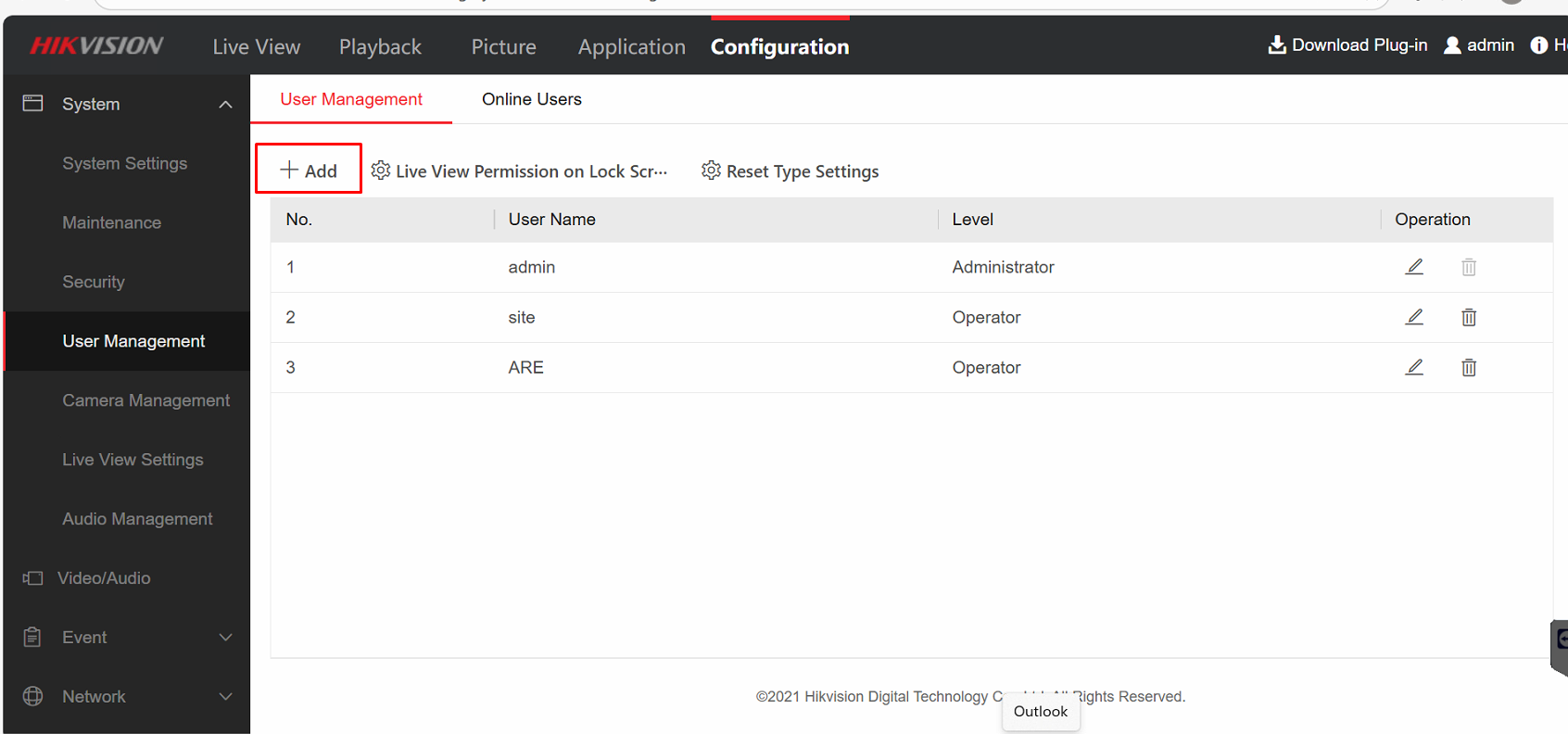
3) Go to Configuration -> User Management -> Add
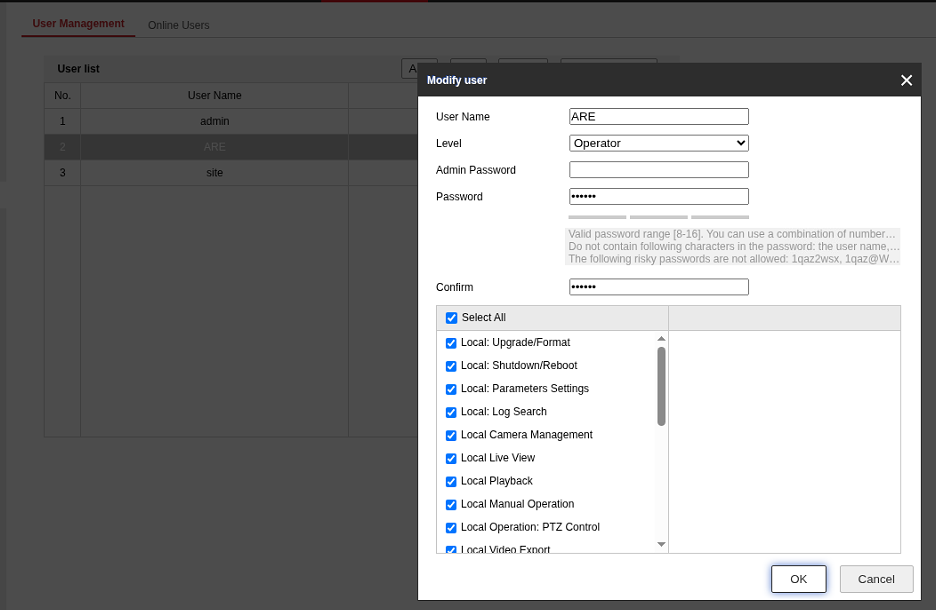
4) ARE User should have the following access (keeping in mind that some versions may look slightly different):
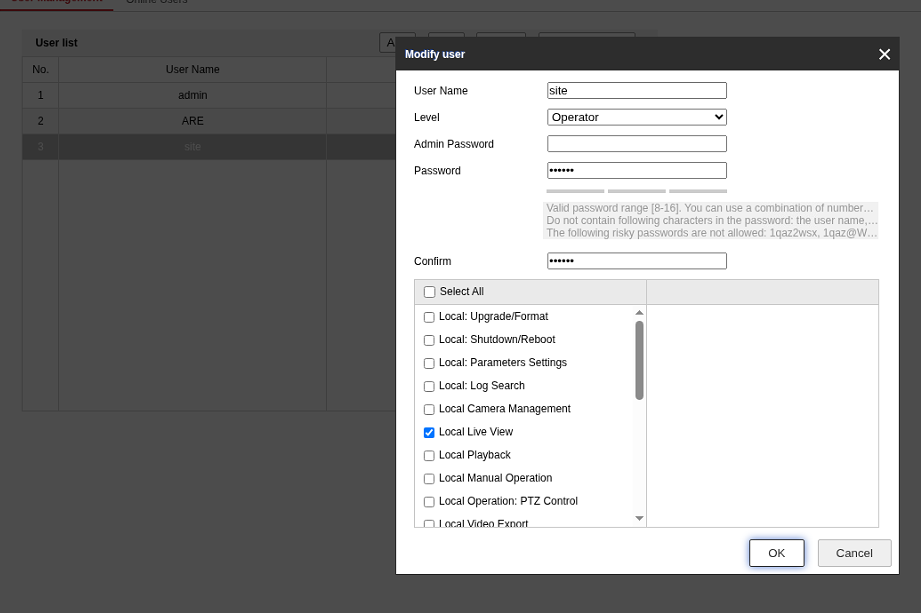
5) site user should have the following access:
6) Document the username/password combinations used in the Excel document
Was this article helpful?
That’s Great!
Thank you for your feedback
Sorry! We couldn't be helpful
Thank you for your feedback
Feedback sent
We appreciate your effort and will try to fix the article